aaShell
Screenshots

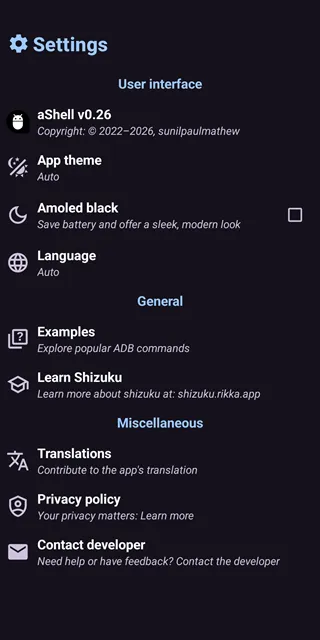
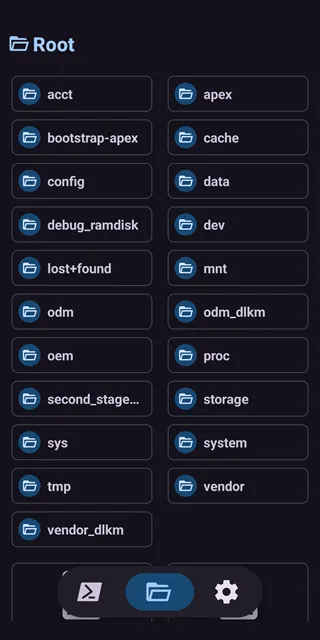
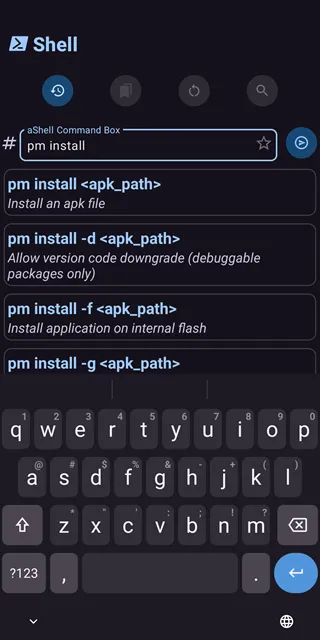
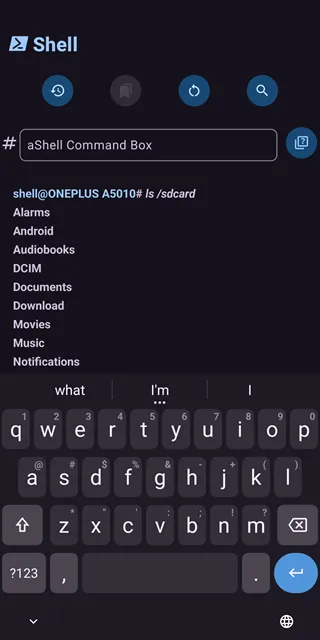
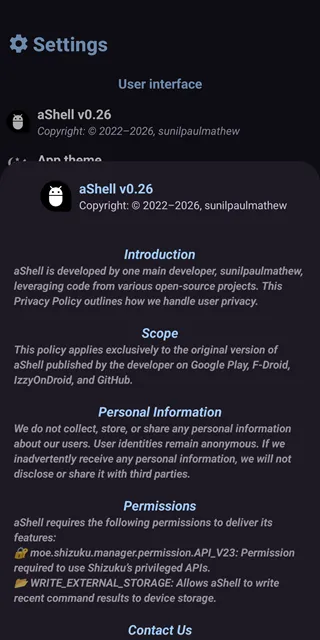
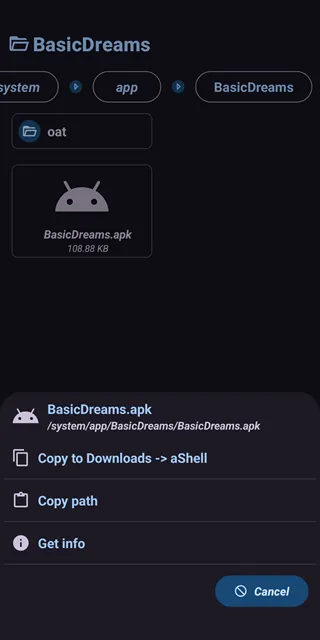
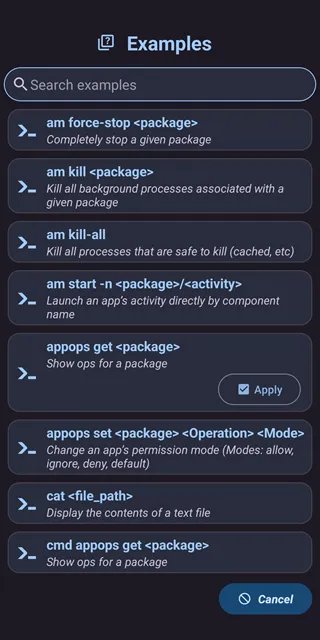
aaShell gives mobile users direct access to advanced command line tools without using a personal computer. You can execute deep developer commands straight from your smartphone interface. Consequently, you save time during device modification tasks.
Many advanced mobile tasks usually require a heavy desktop setup. However, this application changes everything by running commands locally. Therefore, you gain full control over system parameters instantly.
Tech enthusiasts often want to change hidden system variables. In other words, they need a simple method to alter system behavior. This tool makes the entire customization process highly accessible.
Moreover, you do not need complex cables for basic local scripts. You simply open the interface and start typing your commands. As a result, managing mobile processes becomes incredibly efficient.
What is aaShell and Why Do You Need It?
Understanding system commands can improve your device performance dramatically. For example, you can disable heavy background applications manually. But doing this without a computer used to be impossible.
Fortunately, the aaShell application bridges this gap safely. It communicates directly with your internal operating system core. Thus, you do not need an external computer link anymore.
Power users love this tool because it offers absolute freedom. To clarify, you can fix system glitches while traveling. You only need your phone to run diagnostic utilities.
In addition, developers can test mobile configurations instantly. They can execute scripts while sitting in a coffee shop. This portability changes the entire developer workflow for mobile creators.
Advanced personalization often requires executing text-based inputs. Ordinary phone settings restrict access to these modifications. Therefore, this tool opens a gateway to hidden developer environments.
Key Features of aaShell For Android
Local Command Execution
You can run deep debugging lines without linking to an external PC. To clarify, the application handles internal system requests directly on the hardware. This feature speeds up your regular maintenance work.
Most configuration tools require secondary hardware to reach deep system roots. But this tool uses local background environments to complete tasks. So, you can tweak your phone settings anywhere at any time.
Preloaded Script Examples
Beginners often struggle to remember exact technical syntax lines. Fortunately, this application includes a helpful bundle of preloaded command examples. You can study these templates to learn command structures quickly.
You can launch a common script with a single quick tap. In addition, these examples prevent dangerous syntax mistakes during execution. Beginners can safely explore system commands using this structured library.
Continuous Live Output Tracking
Some command lines need to display continuous live updates. For example, log monitoring tools must refresh their data constantly. This application displays live text changes without stuttering or crashing.
Meanwhile, you can watch processing performance metrics change in real time. Subsequently, you notice exactly how your hardware responds to heavy tasks. The scrolling screen updates instantly as new data arrives.
Advanced Search Within Output Results
Long system reports can contain thousands of words. Therefore, finding a specific error line becomes very difficult manually. This application includes a fast text search feature inside the output window.
You just type a keyword to highlight matching rows immediately. In other words, you skip hours of scrolling through technical data logs. This search feature optimizes your system management workflow perfectly.
Exporting Output Histories to Text Files
Sometimes you must keep reports for later analysis. For instance, you might want to share an error log with a technical community. This application lets you save output histories as text files.
The tool saves the file directly into your local mobile storage directory. After that, you can open it with any basic text reading application. This process keeps your critical data safe and organized.
Convenient Script Bookmarks
Typing long code phrases repeatedly causes muscle fatigue. To clarify, nobody enjoys entering twenty characters every single day. This feature allows you to bookmark your favorite script combinations.
You can organize your custom entries into a clean personalized list. Then, you run them with a single click in the future. This shortcut improves user experience significantly for daily power users.
Built-In File System Manager
Standard user interfaces usually hide privileged file systems. However, this application includes an integrated system manager. You can access internal directories with elevated permissions easily.
You can move, copy, or delete protected configuration files. Consequently, you do not need third-party file applications for technical modifications. This internal tool handles everything directly within the main interface.
How to Download and Install aaShell APK
You must obtain the installation package from a reliable source. Our website offers a verified download link for this specialized system utility. Firstly, navigate to the top of our page to locate the file button.
Click the direct download button to fetch the authentic installation package. Meanwhile, make sure your internet connection remains stable during the transfer. Your device will store the package directly inside your local downloads folder.
Secondly, you need to configure your mobile security preferences. Open your system settings application and locate the privacy section. Then, toggle the option that allows installations from unknown sources.
This step ensures your package manager can open external files properly. Afterward, open your local file manager application to find the downloaded item. Tap the file icon to start the setup wizard.
The setup manager will ask for confirmation before modifying files. Simply click the accept option to proceed with the background installation. Consequently, the application icon will appear on your screen within seconds.
Finally, open the newly installed tool to verify its functionality. You must connect it to your preferred local permission manager environment. Once connected, you can start running commands safely and effectively.
aaShell App Tips and Tricks for aaShell Users
Always back up your critical system data before running unknown scripts. For example, a wrong character can alter important system configurations. Therefore, keeping a secure backup protects your phone from unexpected issues.
Moreover, use the built-in search feature to double-check command histories. This habit helps you verify exactly what changes occurred during past sessions. You can avoid repeating errors by reviewing these records regularly.
Combine multiple short lines into a single bookmarked sequence. In other words, chain your frequent tasks together to save time. This method streamlines your daily device optimization routine completely.
Keep your background privilege environment updated to prevent connection drops. Sometimes communication between tools fails because of outdated builds. So, check your permission tools regularly for the latest updates.
Use the dark theme option to save battery power. Running continuous scripts like system logs drains your battery quickly over time. Above all, the dark theme reduces eye strain during long coding sessions.
Test new commands with harmless parameters before applying deep changes. For instance, run a basic directory listing command first. This practice verifies that your connection works perfectly before complex automation.
Study the preloaded examples to understand advanced parameter filtering options. Many commands support secret flags that refine your technical search results. Consequently, you can gather specific information much faster.
aaShell App Pros and cons
Every application has specific advantages and limitations for the end user. Evaluating these points helps you decide if the tool fits your technical needs. Let us examine the positive and negative aspects carefully.
Some users prioritize speed and simplicity over advanced functionality. On the other hand, power users require deep access to system files regardless of complexity. This balance determines how you interact with the application features.
Reviewing the core benefits allows you to maximize efficiency. Meanwhile, understanding the limitations prevents configuration mistakes on your device. Let us dive directly into the full list.
Pros
- It executes command line operations locally without a computer connection.
- The clean interface matches modern system design styles perfectly.
- Preloaded examples help beginners understand difficult programming terms easily.
- Users can export long technical logs directly into standard text files.
- The bookmark system saves time by storing your regular scripts safely.
- It supports live scrolling text updates for continuous performance monitoring.
- The application takes up very little storage space on your device.
- It does not contain annoying pop-up advertisements that disrupt your work.
Cons
- Users need basic familiarity with terminal command lines to avoid errors.
- It relies entirely on a pre-configured background permission environment to work.
- Misusing advanced commands can cause system instability on your device.
- The application does not offer an automatic script undo button.
Conclusion
To sum up, this application redefines how power users interact with their mobile operating systems. It eliminates the heavy requirement of a desktop computer for running regular command line operations.
By combining live outputs, smart bookmarks, and text exports, it creates a clean user environment. You can manage your device efficiently while keeping full control over deep system parameters.
Certainly, anyone looking to unlock the true potential of their device should try this tool. Download the authentic package from our secure website today to enhance your mobile management capabilities.
You will discover an easy path toward advanced system personalization. Your daily customization tasks will become smoother and much faster. In short, this tool represents a major upgrade for technical users.
- Google Fi Wireless
- v2RayTun
-
ExpressVPN
 Download
ExpressVPN: VPN Fast & Secure
ExpressVPN secures your mobile internet connection against...
- Firefox Nightly
- Samsung Galaxy Store
- Huawei AppGallery
- Samsung Reminder
- ByeByeDPI